For makerspaces, FabLabs & school workshops
Every machine.Every member.One tap.
Attraccess knows who may use the laser cutter, who still needs an introduction and when the CNC is due for maintenance – and it switches the machine on when someone taps their card.
- Free for non-profits
- 30-day commercial trial
- Self-hosted, your data

Built for places where people make things
- Makerspaces
- FabLabs
- Hackerspaces
- School workshops
- University labs
- Repair cafés
- Open workshops
- Coworking studios
Try it – no hardware needed
Tap a card. Watch the workshop react.
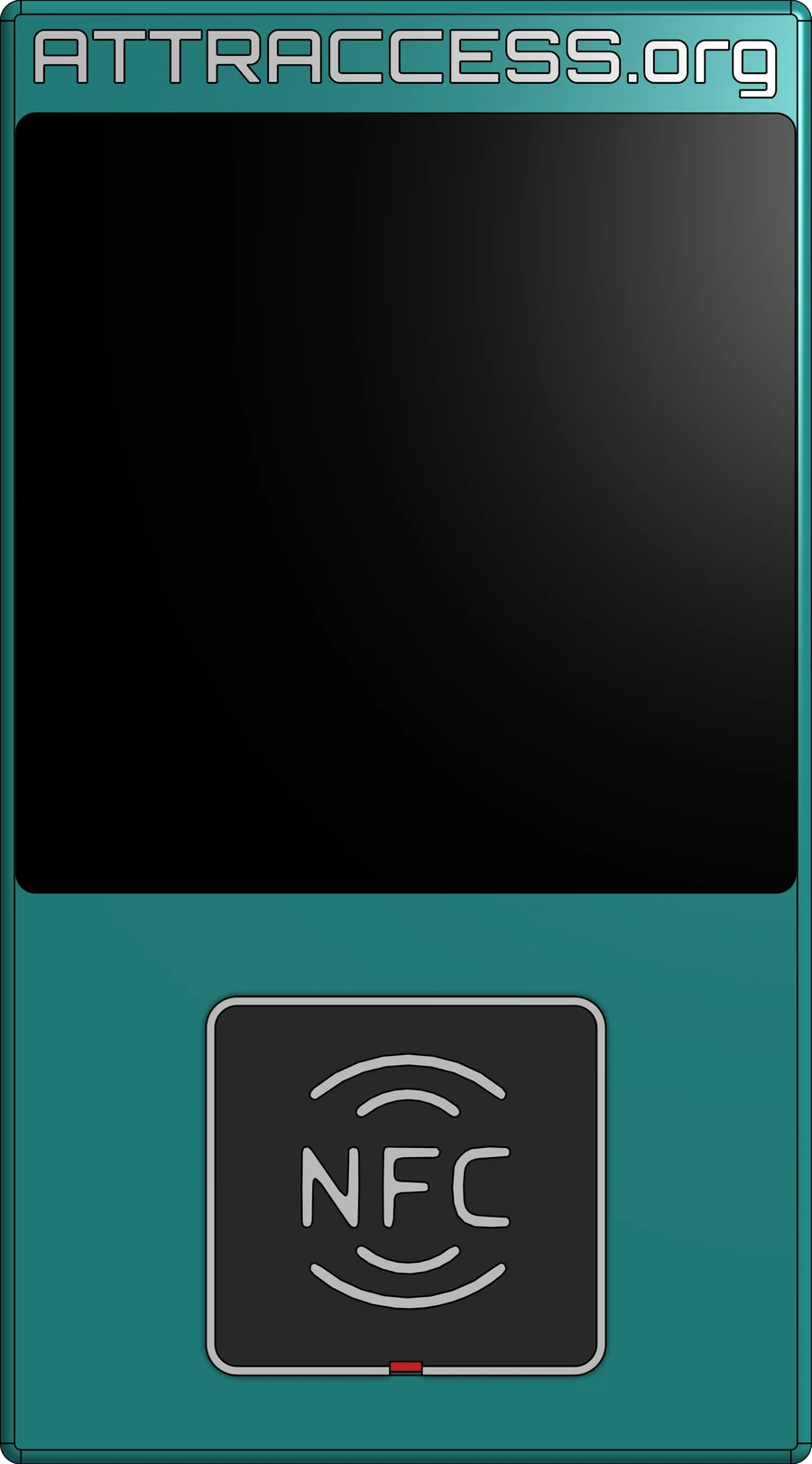
This is the Attractap reader. Drag a member card onto the NFC pad – or just click a card – and see what Attraccess does behind the scenes.
Drag onto the NFC pad →
Psst: try Jamie, then let Priya supervise.

 AttraccessLaser CutterAvailableOK NET
Live status
Meanwhile, in Attraccess
- Waiting for a card…
Demo clock runs at 60× – one second is one minute.
The app
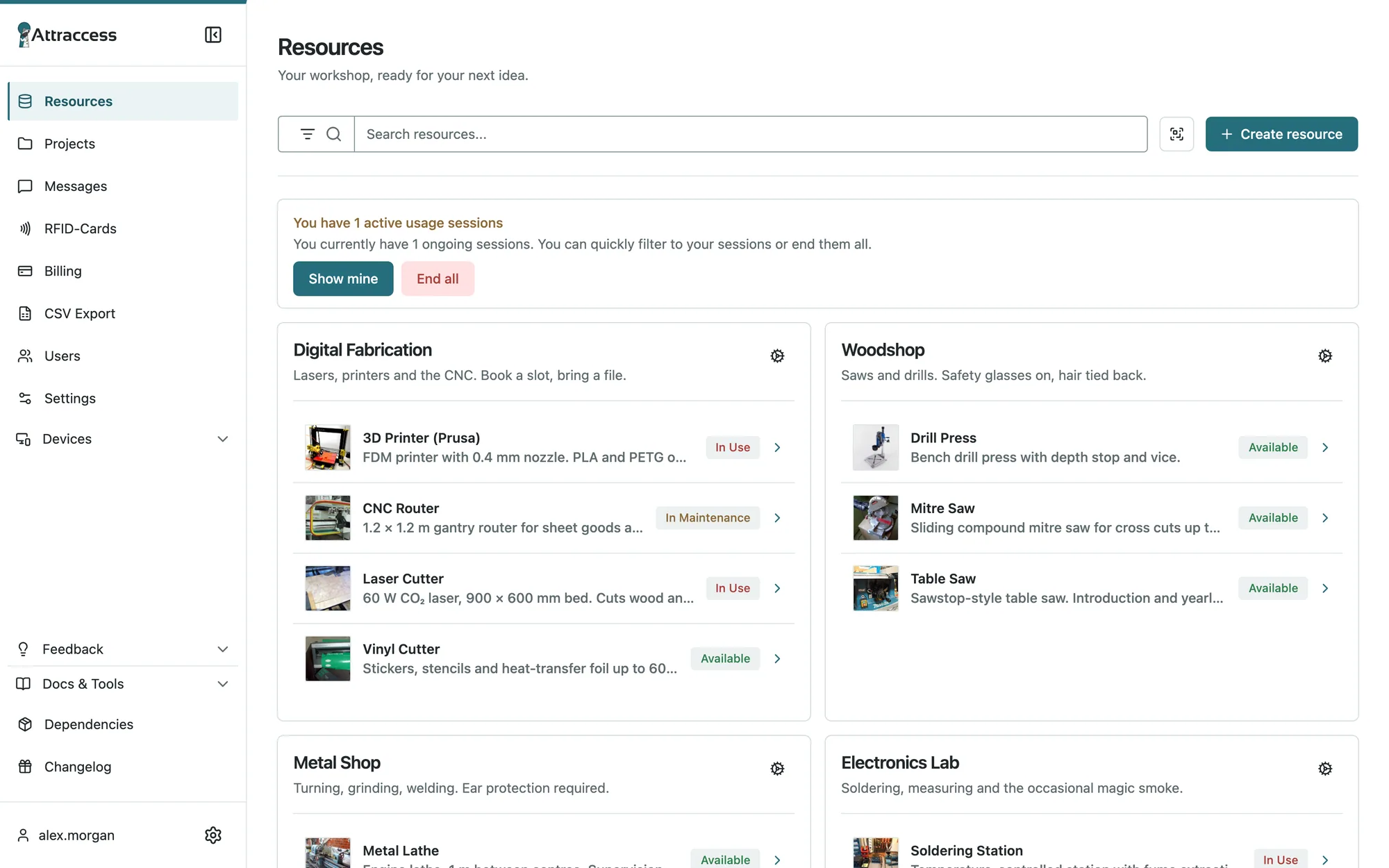
Your whole workshop at a glance.
Real screens from Attraccess, filled with a fictional makerspace. Scroll through the tour, or flip the site to dark mode – the screenshots follow.
Live status for every machine
Available, in use, in maintenance – grouped by workshop area, searchable, with photos. Members see what’s free before they leave the house.
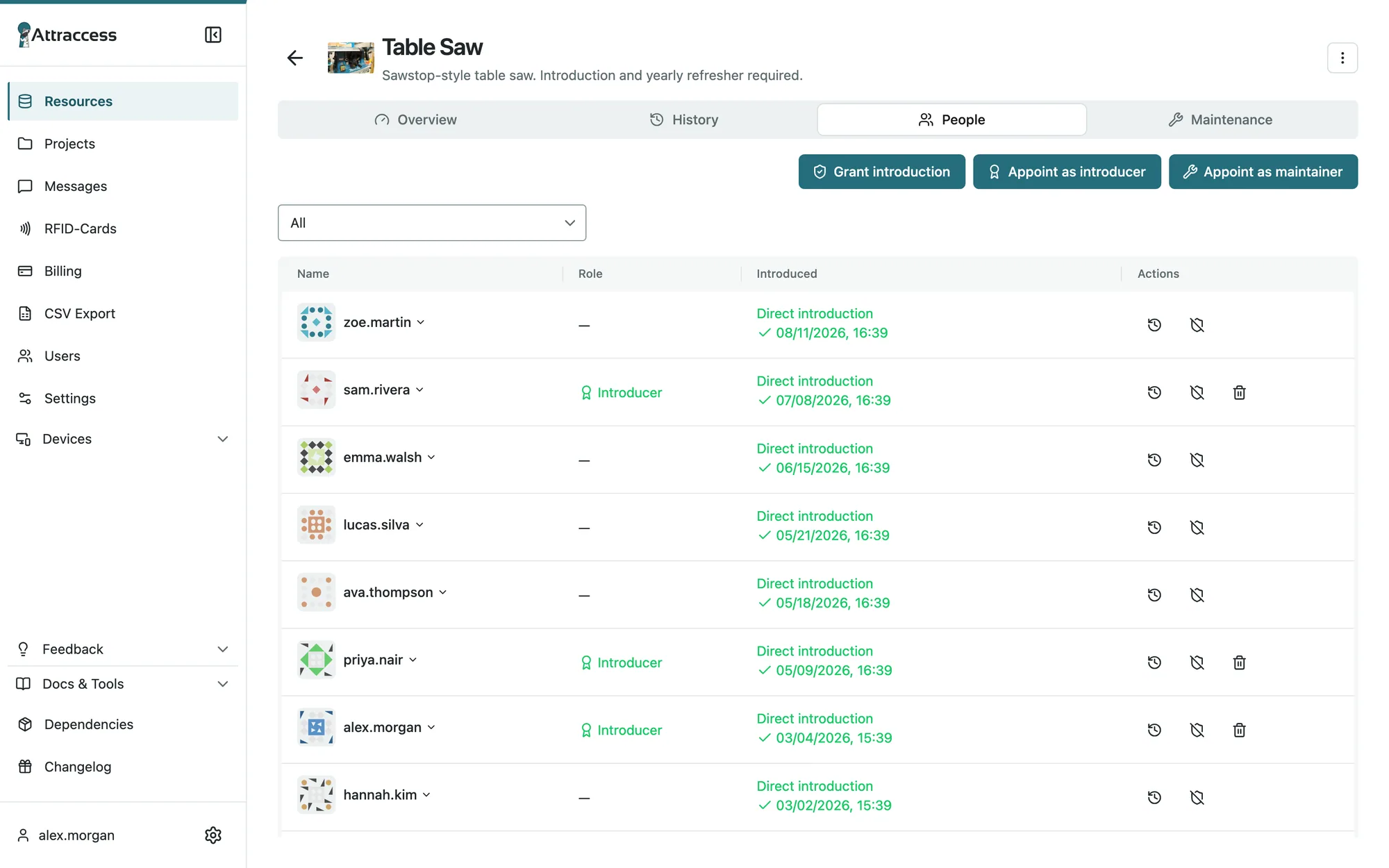
Introductions with an expiry date
Record who introduced whom, appoint introducers per machine or group and require a yearly refresher. Overdue? The table saw politely says no.
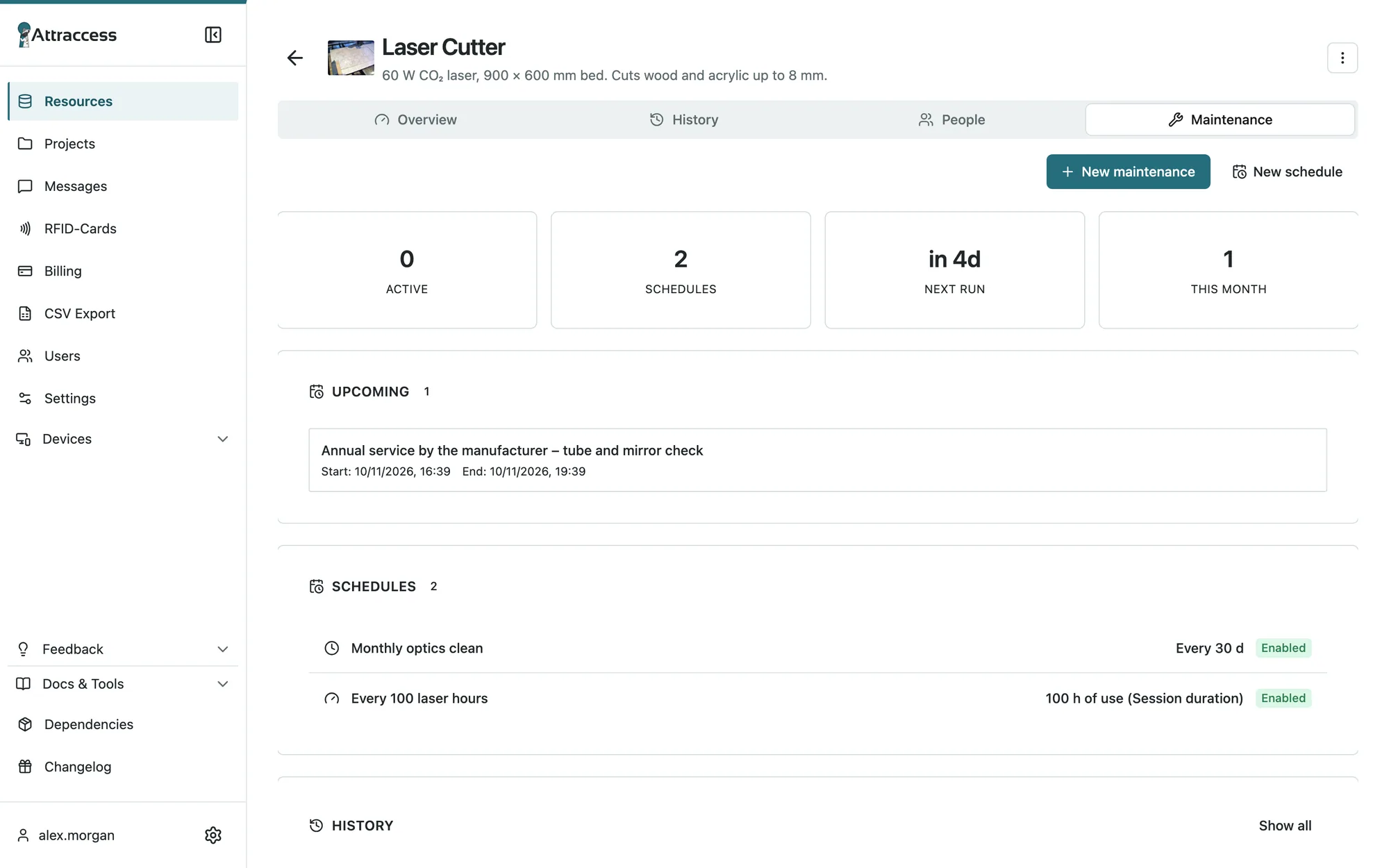
Maintenance that schedules itself
Plan by calendar, usage hours or number of sessions. Members report problems in one click and the machine stays locked until it’s fixed.
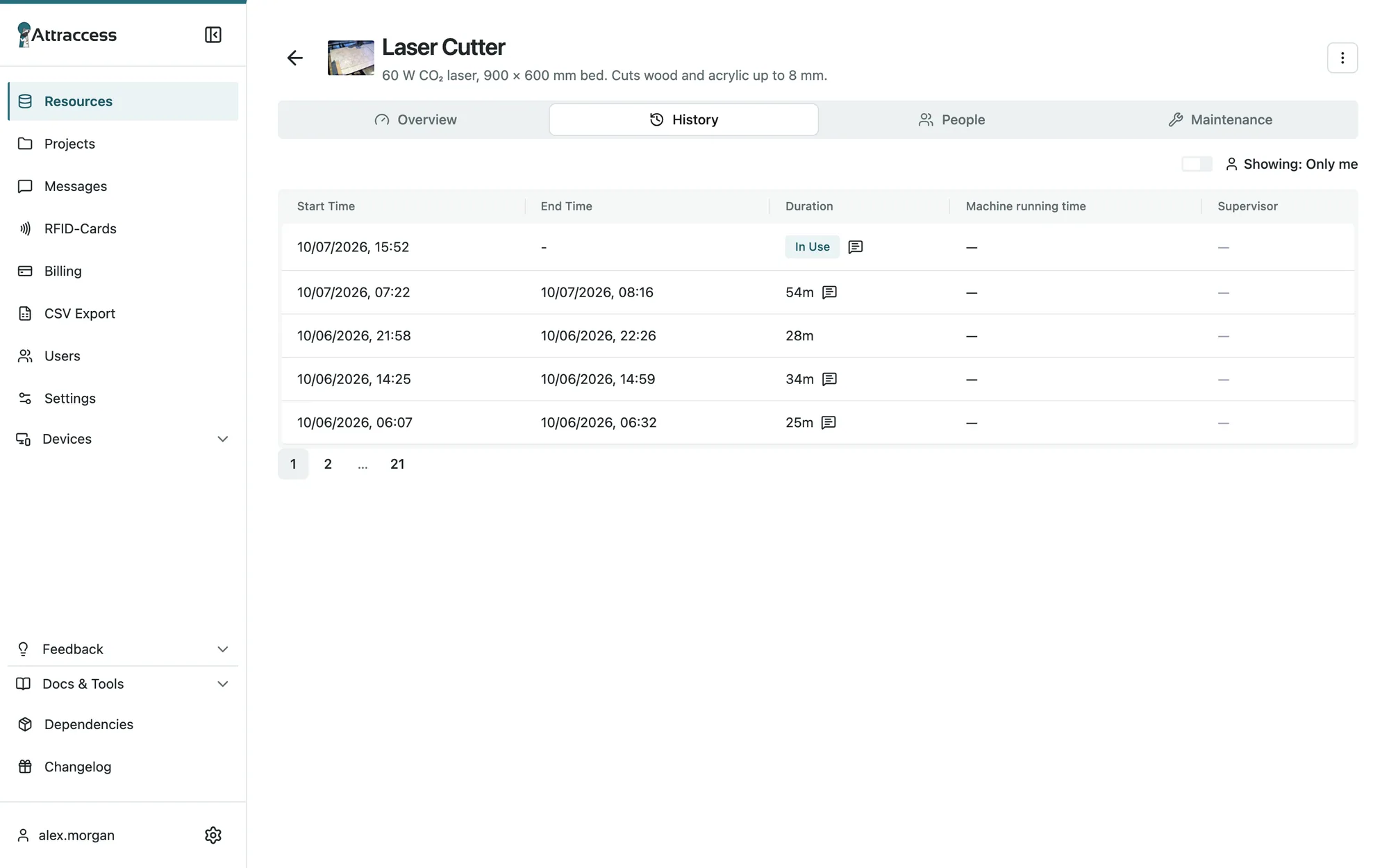
Every session on the record
Who used what, when, for how long and for which project. Export to CSV for funders, insurers or the annual report.
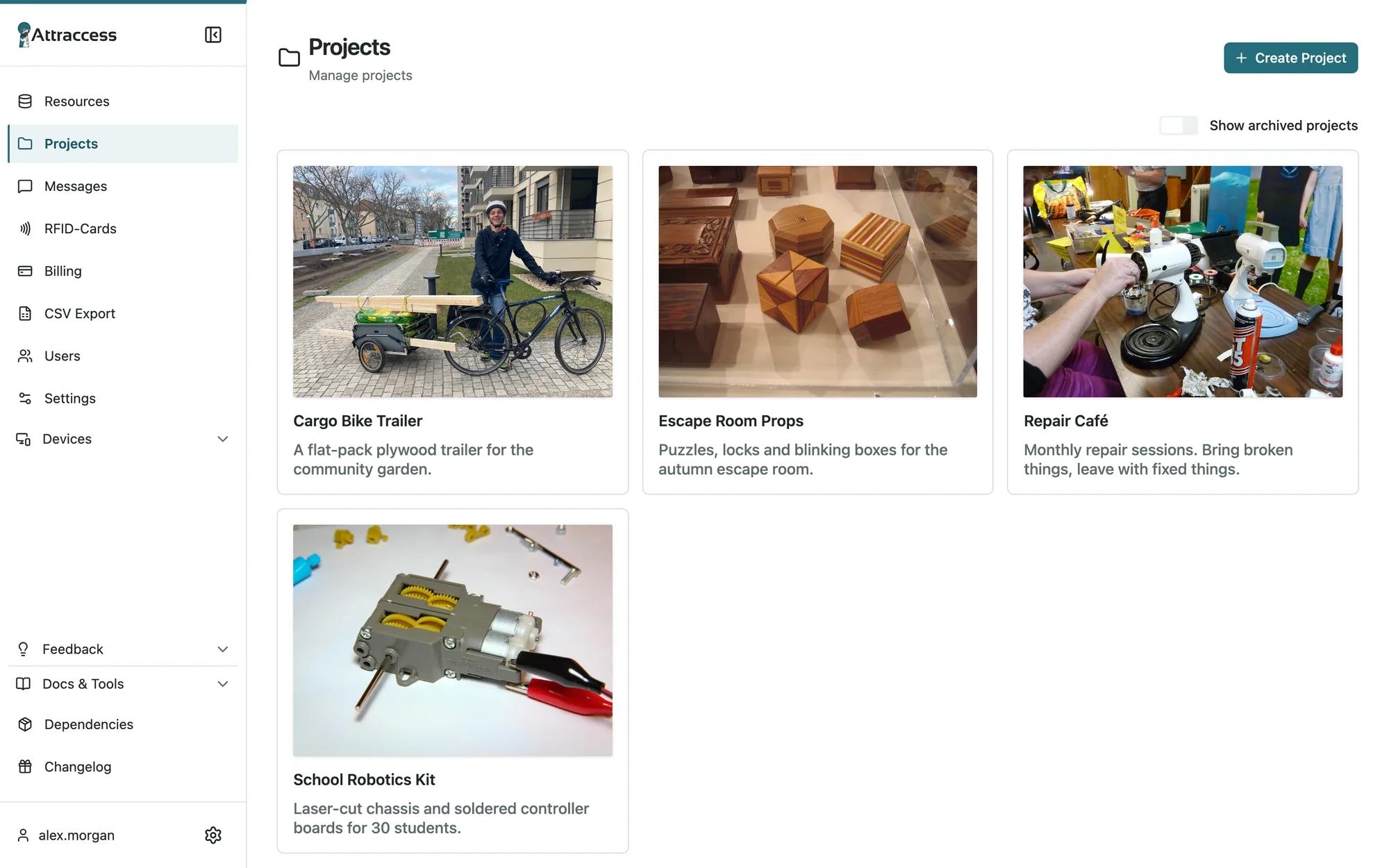
Projects & teams
Book sessions onto projects, invite teammates and see what a project actually used – from the cargo bike trailer to the repair café.
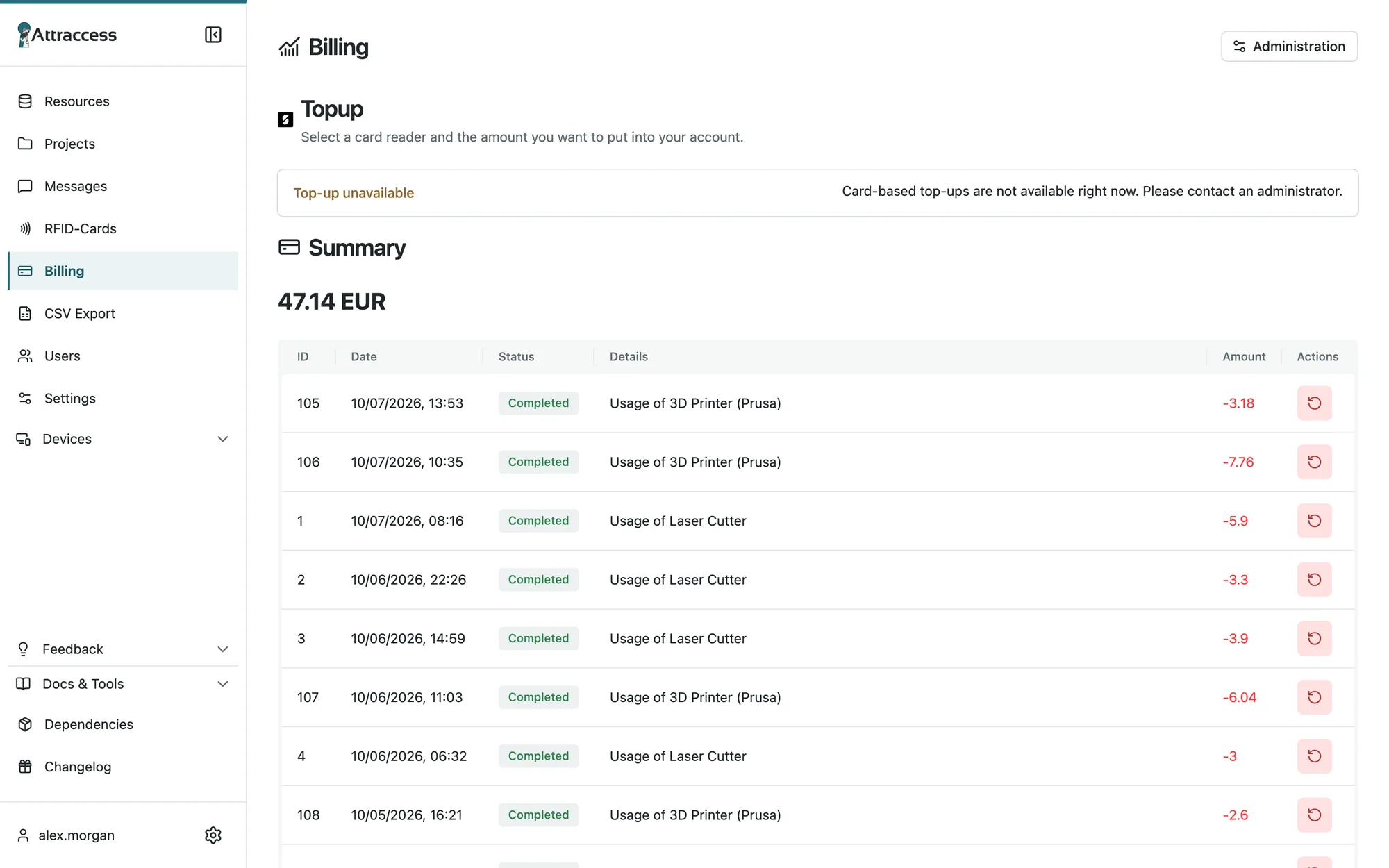
Fair usage billing
Charge per session, per minute or per minute the machine actually runs. Prepaid balances, card top-ups via SumUp and refunds in two clicks.
Flows
No code. All the wiring.
Attraccess speaks HTTP and MQTT, so it can switch Shelly plugs, talk to WAGO controllers, lock PCs and ping whatever else lives on your network. Build it visually and watch it run.
Plays well with
- Shelly
- MQTT
- Mosquitto
- Home Assistant
- Node-RED
- RabbitMQ
- Keycloak
- Authentik
- OpenID Connect
- Passkeys
- Prometheus
- Grafana
- Docker
- SQLite
- ESP32
- WAGO CC100
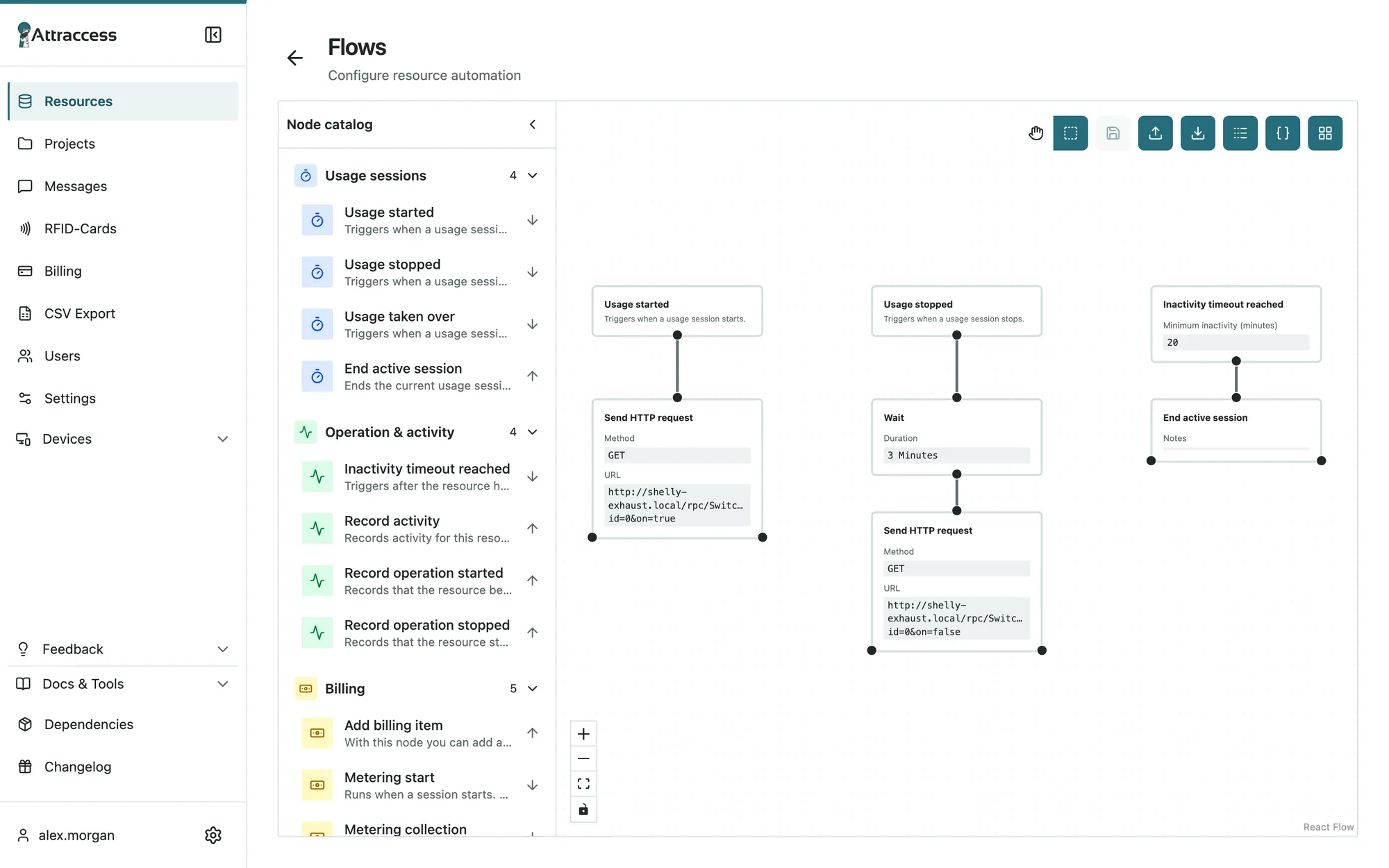
The laser cutter’s flow in the real flow editor. Yes, the fan really waits three minutes.
Hardware
Attractap, the friendliest gatekeeper.
A small NFC reader that lives next to each machine or door. Members tap, pick what they want to do and get going. Secure NTAG 424 DNA and DESFire EV2/EV3 cards, over-the-air updates, Ethernet or Wi-Fi.
Attractap Lite
Wired, robust, no-nonsense. Perfect for doors and single machines.
Attractap Touch
Choose the machine, answer a form, request supervision – right on the reader.
Companion app
Locks the CAM workstation next to the CNC until a session is running. Windows, macOS and Linux.
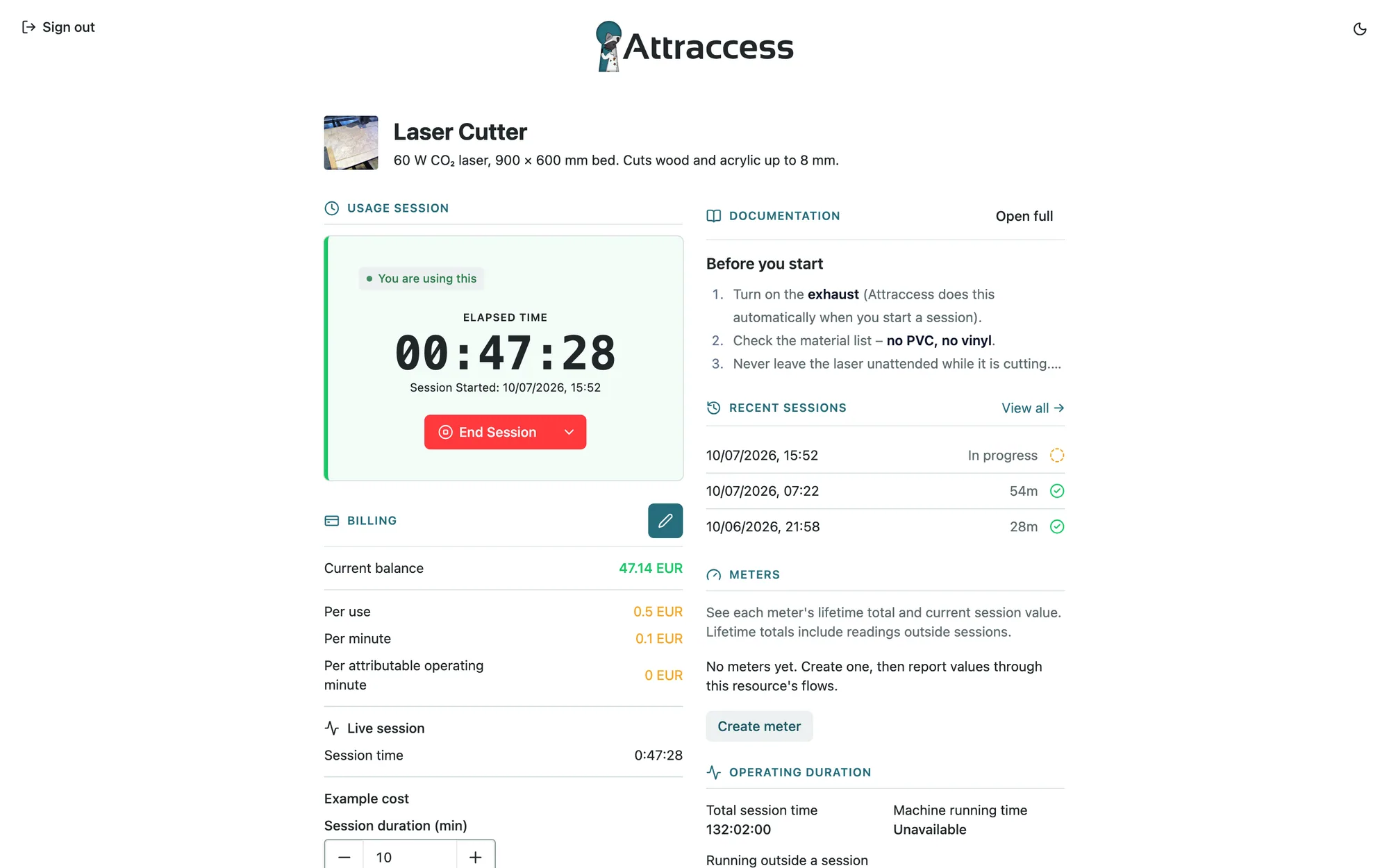
Kiosk mode
Turn a tablet on the wall into a machine terminal – with the same live status.
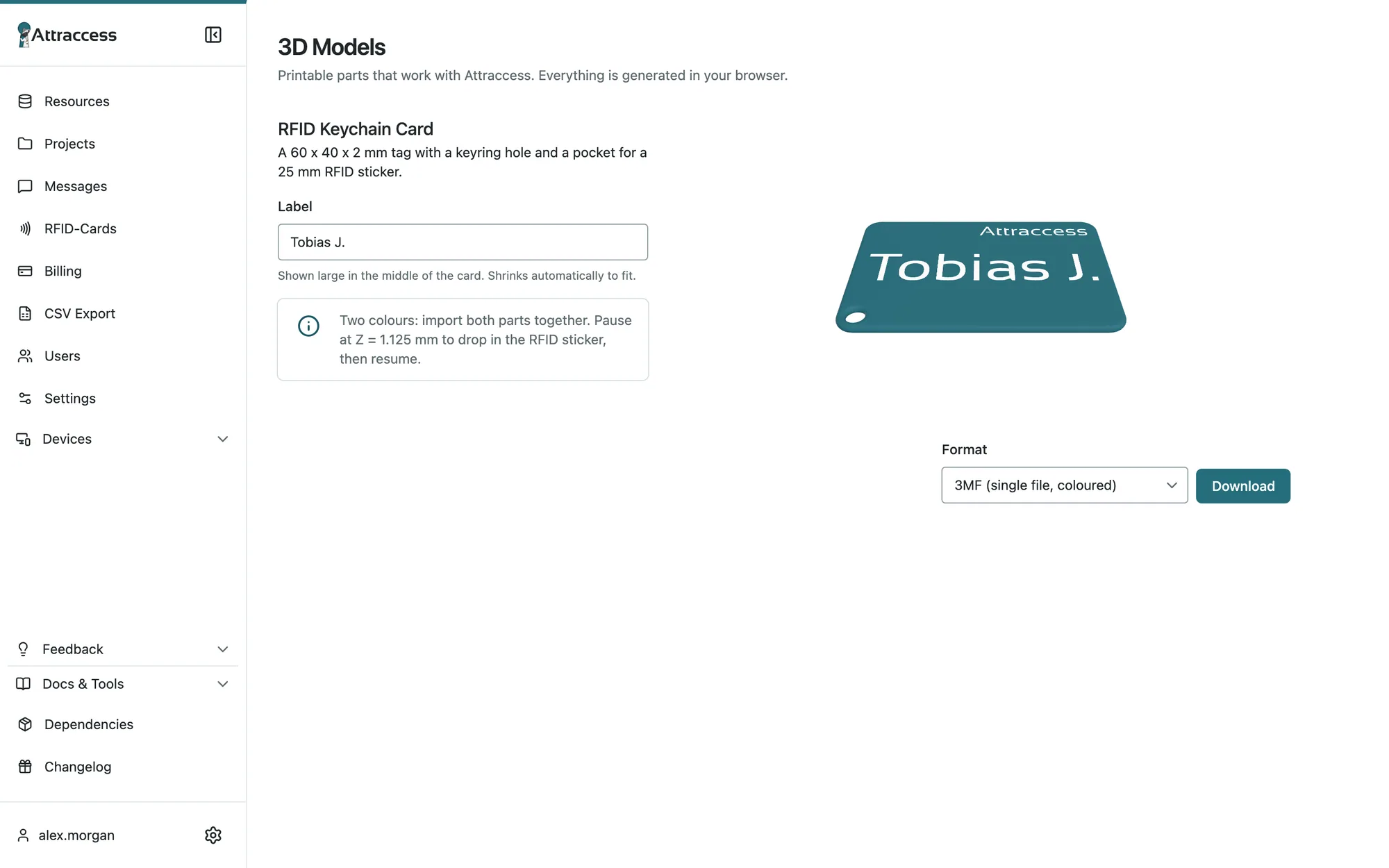
Printable keychain cards
Generate a two-colour 3D-printable card holder with the member’s name, right in the browser.
Light, dark, pocket-sized
Dark mode for the night shift.
Attraccess is an installable web app. Members start sessions, scan a machine’s QR code and check their balance from their phone – in whichever theme they like.
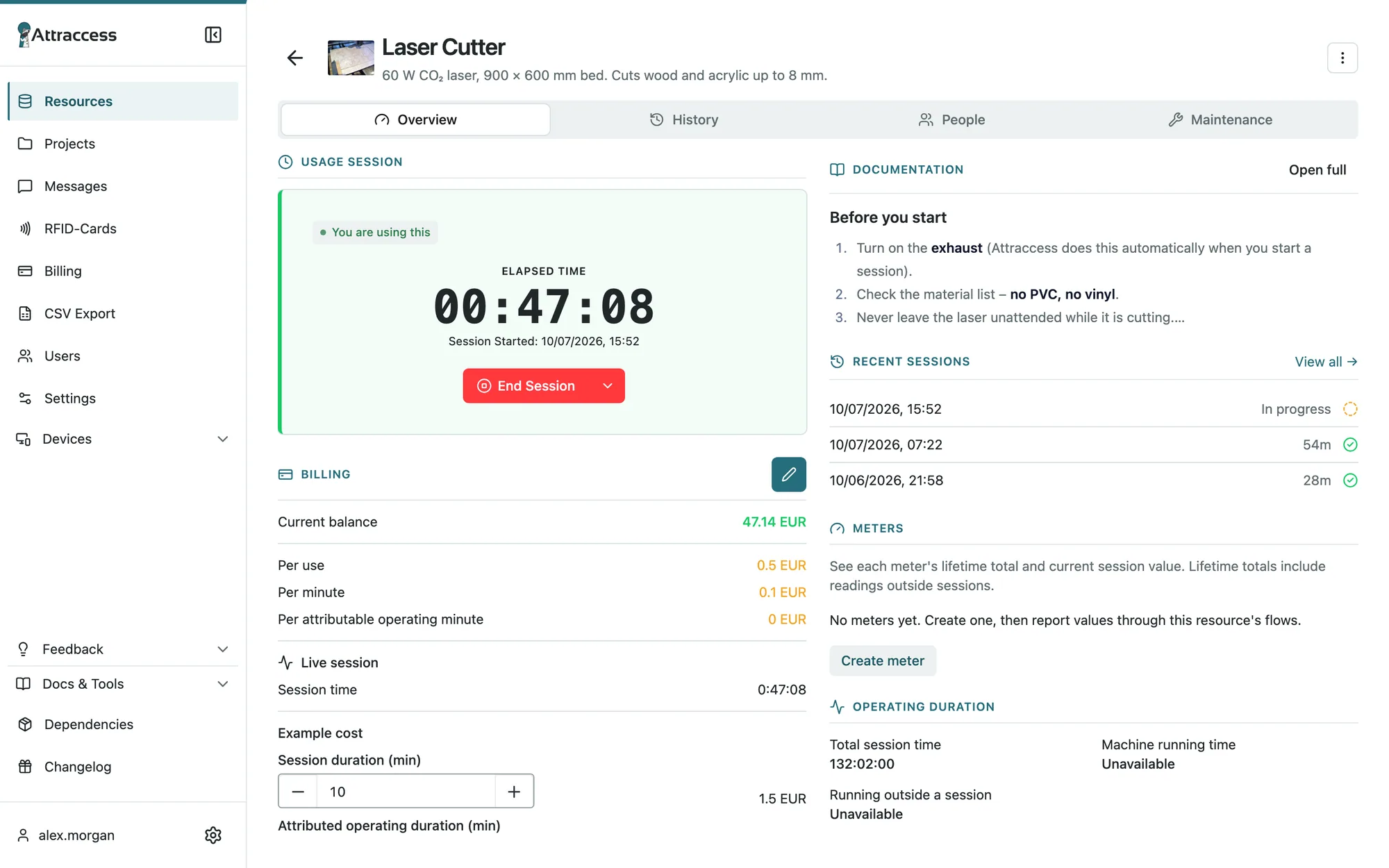
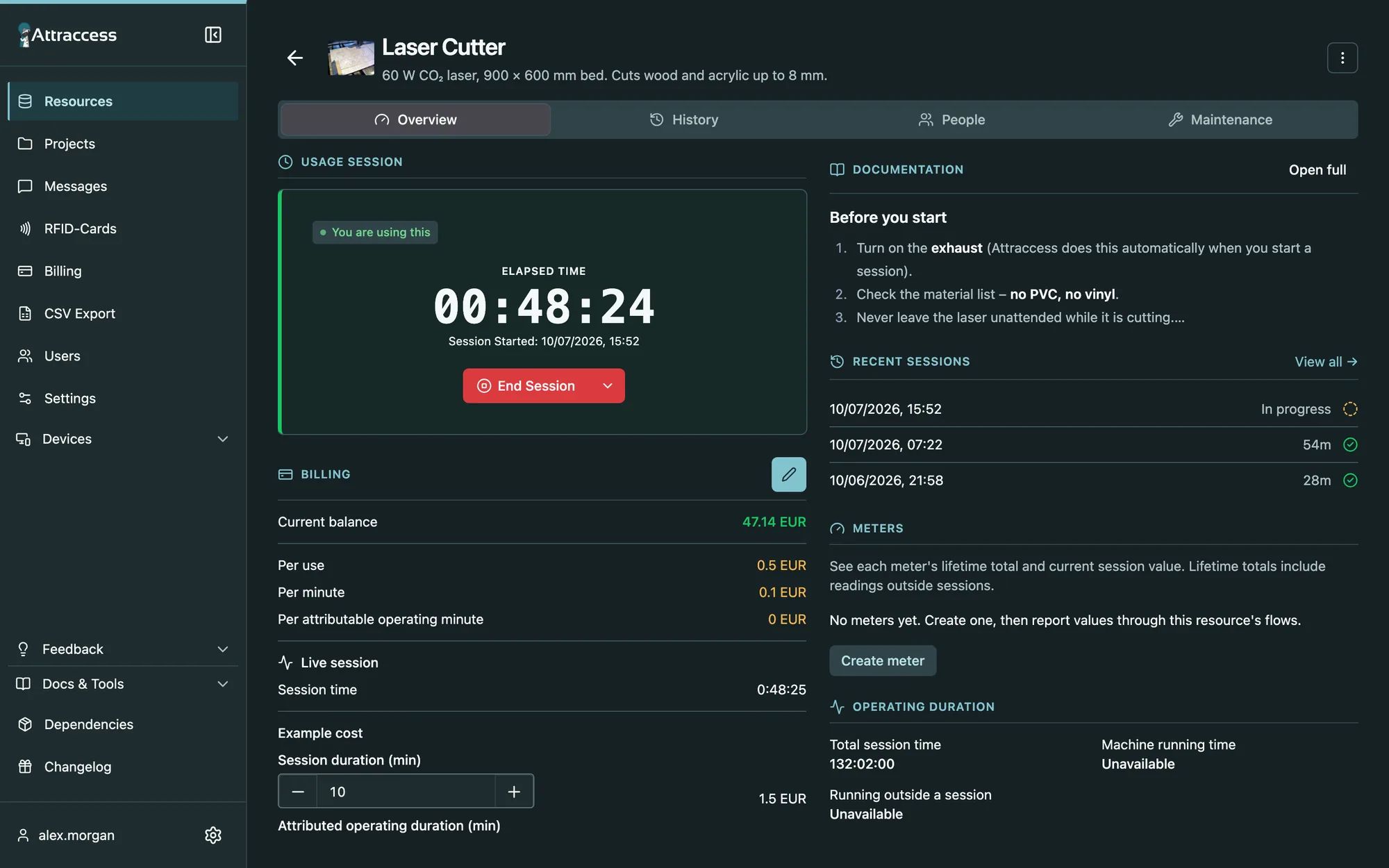
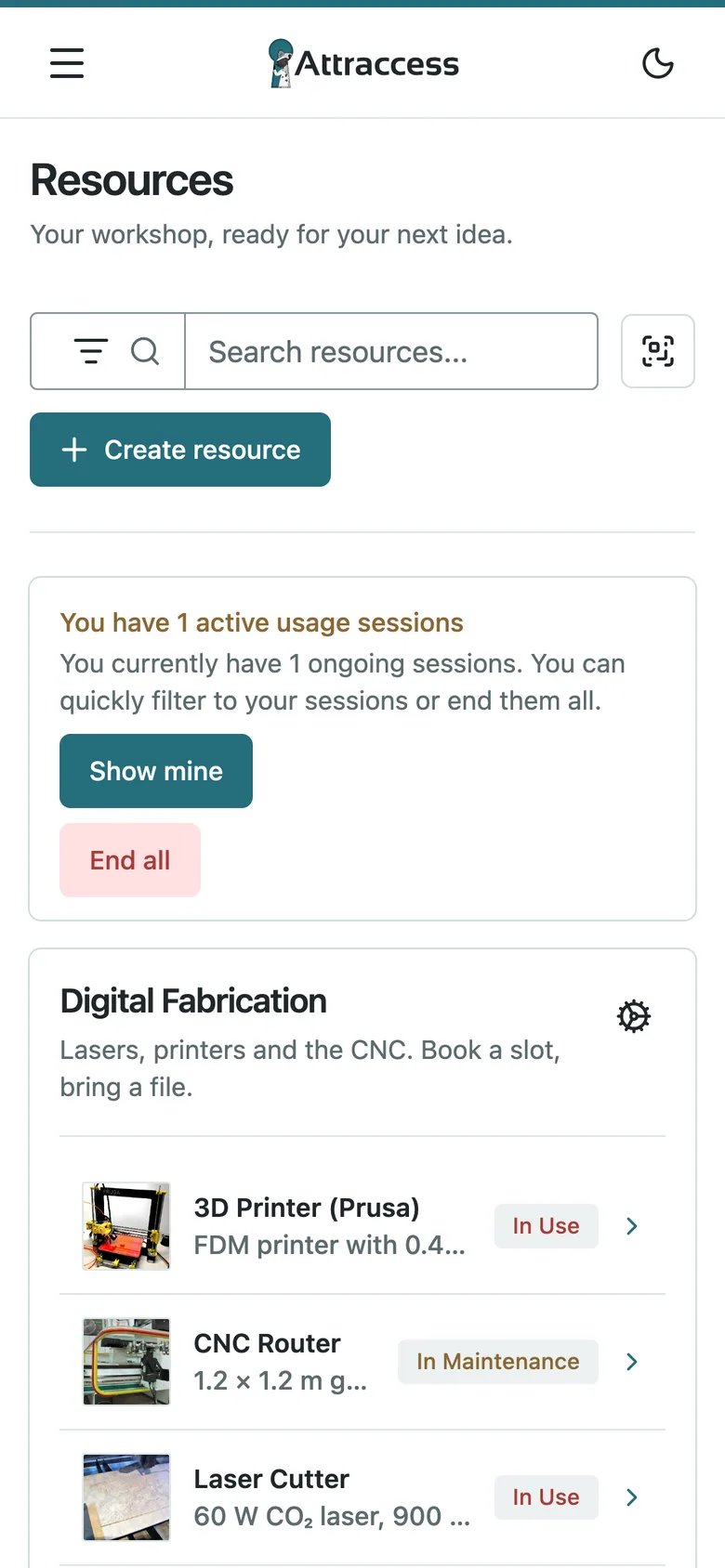
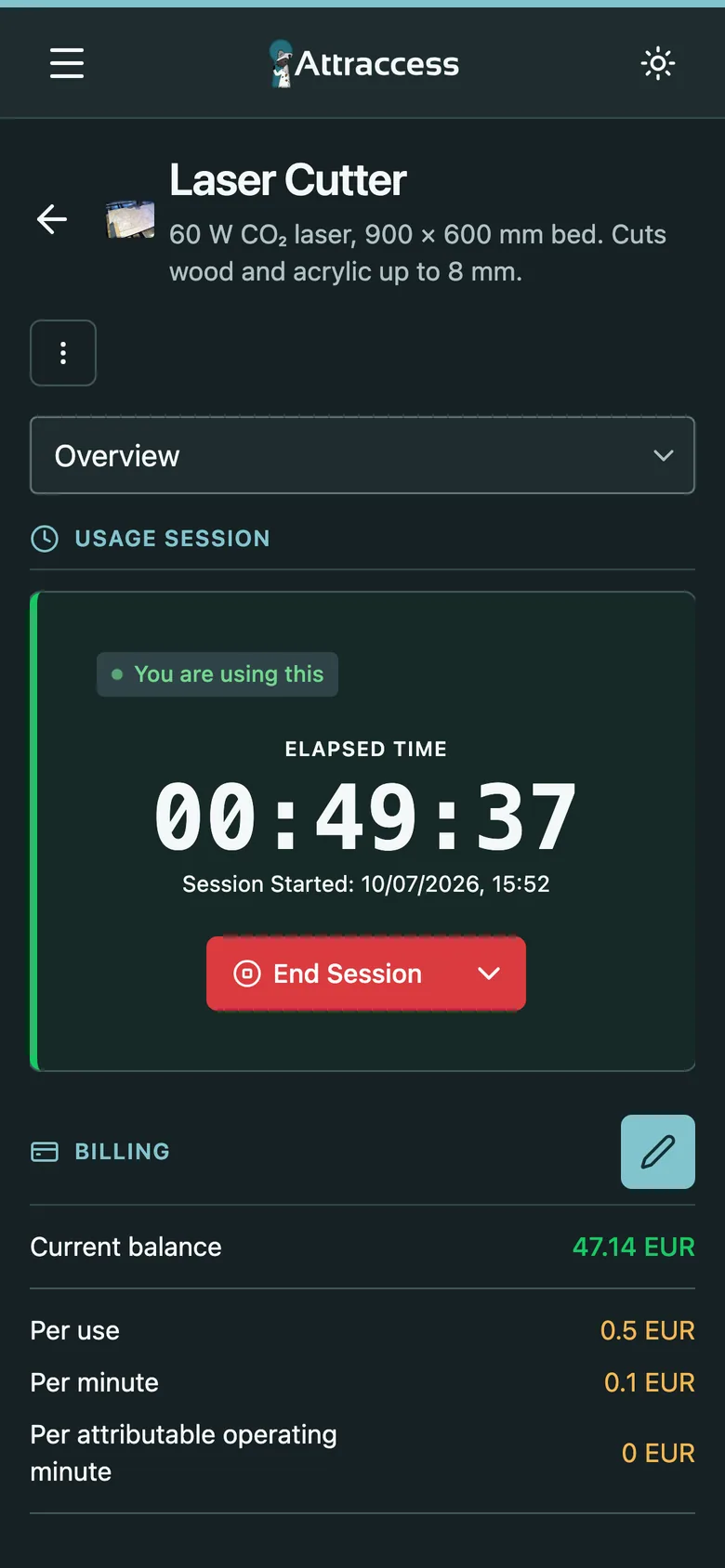
Drag to compare light and dark
Under the hood
Playful on the outside. Serious where it matters.
Single sign-on
OIDC and SAML with Keycloak, Authentik, Entra ID & co. Map groups to roles automatically.
Passkeys & 2FA
Passwordless sign-in, authenticator codes and password policies.
Roles & permissions
Fine-grained permissions for resource managers, billing and user admins.
Audit log
Every sensitive change is recorded – who, what, when.
Self-hosted
One Docker container, your server, your data. Backups are a single folder.
Monitoring
Prometheus metrics and ready-made Grafana dashboards.
Plugins
Extend the backend and frontend – Shelly and WAGO support ship as plugins.
English & German
Including email templates, so your members feel at home.
Pricing
Fair pricing. Literally.
Community workshops shouldn’t pay for software that keeps their volunteers sane. Businesses help keep it that way.
Non-profit
Freeforever
For associations, community makerspaces, schools and private use.
- Every feature, no limits
- Unlimited members & machines
- Self-hosted on your own server
- Community support on GitHub
Commercial
Let’s talk
For companies and anyone running Attraccess as part of a business.
- 30-day free evaluation
- Commercial license
- Priority support
- Help with setup and hardware
Source-available under the Prosperity Public License 3.0 (modified).
FAQ
Good questions.
Ready to unlock your workshop?
Spin it up this afternoon. The raccoon is already waiting at the door.